A model that knows what it is
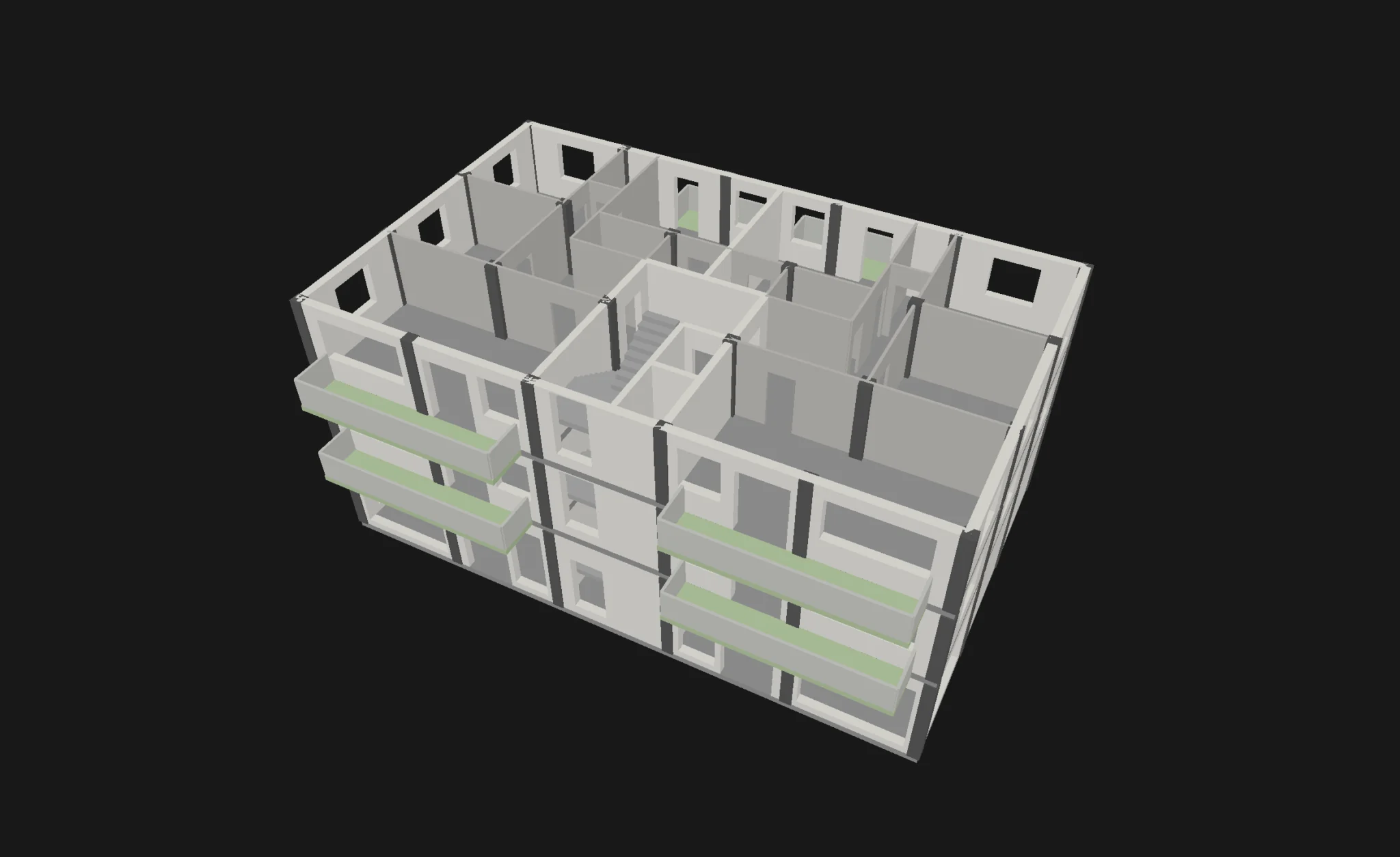
Walls, openings, rooms and storeys are objects with dimensions, not lines on a sheet. Areas, 3D views and sections all come from the same model.
Explore the model
Loading the model…
Drawn in your browser from the Cady document data · Courtyard Apartments · rev 71
Loading the model…
Drawn in your browser from the Cady document data · Courtyard Apartments · rev 71 · Drag to rotate, scroll or pinch to zoom.
Walls and openings
Walls carry thickness, height and base offset. Doors and windows are hosted in walls, with width, height and sill.
Rooms and areas
Rooms are polygons with computed areas. When a sheet states an area, Cady keeps it next to the computed one so differences are visible.
Storeys and units
Storeys have elevations and heights. Rooms can be grouped into units — apartments, shops — with their total areas.
Slabs, columns, balconies and stairs
Footprints with a role: slabs with openings, columns, voids and balconies, each with its own height and base offset. Persistent constraints keep connected corners and edges together.
98 rooms in the sample. The largest gap between a computed area and the area on the sheet is 0.005 m², from rounding on the sheet.
Units in the sample
| Unit | Storey | Rooms | Net area (m²) |
|---|---|---|---|
| Apartment 1 | Level 1 | 8 | 108.46 |
| Apartment 2 | Level 1 | 8 | 108.46 |
| Apartment 3 | Level 2 | 8 | 108.46 |
| Apartment 4 | Level 2 | 8 | 108.46 |
| Apartment 5 | Level 3 | 8 | 108.46 |
| Apartment 6 | Level 3 | 8 | 108.46 |
| Apartment 7 | Level 4 | 8 | 108.46 |
| Apartment 8 | Level 4 | 8 | 108.46 |
| Shop 1 | Ground floor | 4 | 98.34 |
| Shop 2 | Ground floor | 4 | 98.34 |