
Draw with an agent, in the same document
Cady connects to AI agents through MCP. The agent sees the document you have open, edits it through the same engine you use, and every change lands in the shared history.
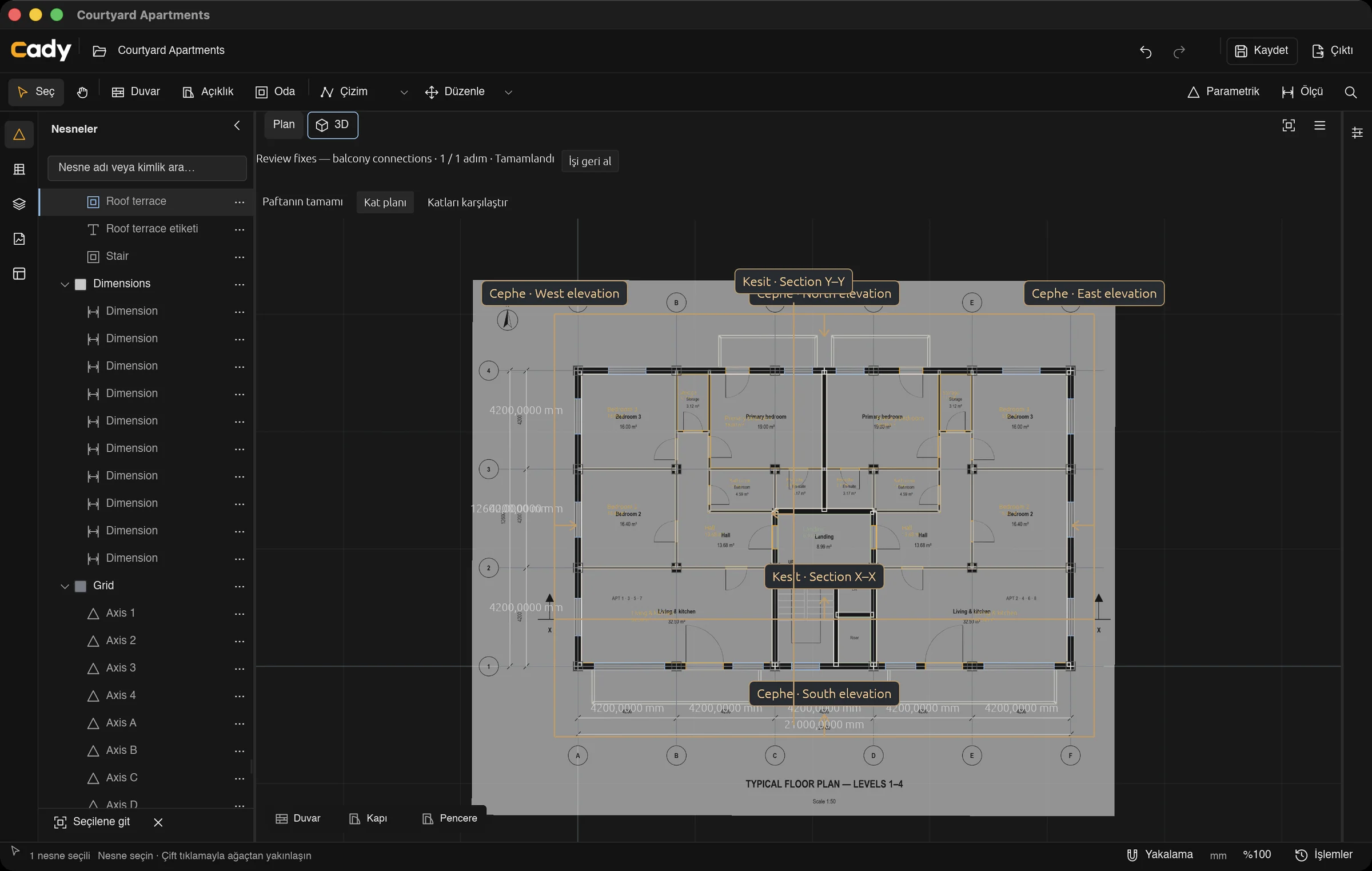
A local connection to the open document
The MCP connector runs on your computer and finds the Cady windows you have open. It doesn’t open a second copy of your file: edits appear in the window you’re looking at.
Checked like your own edits
Every change is validated for schema, units, geometry and document revision before it is saved. Requests carry an id, so a retried request never applies twice.
The agent can look
An agent can read the source sheet, query objects, measure, and render the current plan or 3D view to an image to check its own work.
Work sessions you can undo
An agent groups its steps into a work session. You can pause it, resume it, or undo the whole session at once.
Which agents
Codex can be connected from inside Cady with one click. Other MCP clients can run the same connector if you configure it by hand.
How the sample was built
Three work sessions, 71 revisions, all through MCP. The second and third sessions fix what Cady’s model review found.
Courtyard Apartments — model from sheet A-101
Review fixes — slab openings, overrun window, label placement
Review fixes — balcony connections
Then Cady reviewed the work
The first model review flagged a window taller than its wall, five walls partly off their slab, 18 room labels sitting on grid lines and 16 balconies with no fixed connection. The agent fixed them in two more work sessions. The final review, at revision 71, reports no open issues.